Physics of the Shadow
Your camera’s digital sensor uses a grid of photosites to capture photons of light. In less techy terms, there’s a sensor inside your camera that reads light information and records it as pixels inside your image. Inside the shadows, obviously, light runs thin. You can always crank up your ISO, which increases the sensitivity of your sensor, but this does two things:
- 1- It increases the rough grit inside your luminance
- 2- warps colors through chromatic distortion.
Luminance noise is the ghostly grain that haunts every smooth surface, turning glass into sandpaper and clarity into chaos. Chromatic noise is the poisonous random bruises of purple and green bleeding across the shadows. If you want your work to survive the scrutiny of the street lamps, you have to tame these demons before they take root.
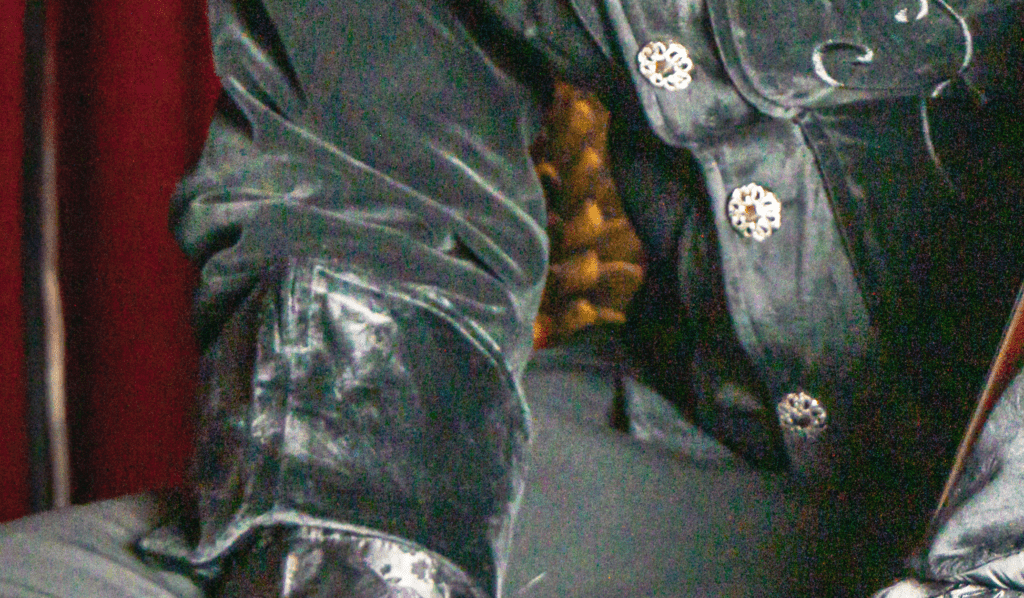
Mathematical Interpolation vs. Neural Reconstruction
Old-school noise reduction was a numbers game; math smoothing over the scars, pixel by pixel, trying to hush the chaos. But the price was costly: you could have your “silence”, but only if you let the soul of the image slip away. Too much smoothing, and everything turns plastic, lifeless. The choice was always between grit and ghost.
Lightroom CC left the old math behind and stepped into neural territory. It’s no longer a filter; it actually rebuilds. The system learns to see the difference between the real and the random, between the weave of fabric and the digital static that tries to drown it out. It cleans accurately, leaving the image’s bones untouched.
Denoise AI | The Raw Level Cleanup
When you unleash Denoise AI on a RAW file, it works on both sides of the street at once, demosaicing and denoising in a single run. Where the old ways split the process, this engine dives into the raw data before the world even sees color, cleaning up the mess before it becomes permanent.
“The neural network predicts the missing data by analyzing surrounding pixels. It identifies patterns intrinsic to human skin, organic textures, and hard edges. It effectively lowers the noise floor while retaining the original signal of the image data.”
This method delivers greater clarity without the old smears, maintaining a cleaner, sharper image. It knows the difference between the scars that matter and the ones that don’t belong.
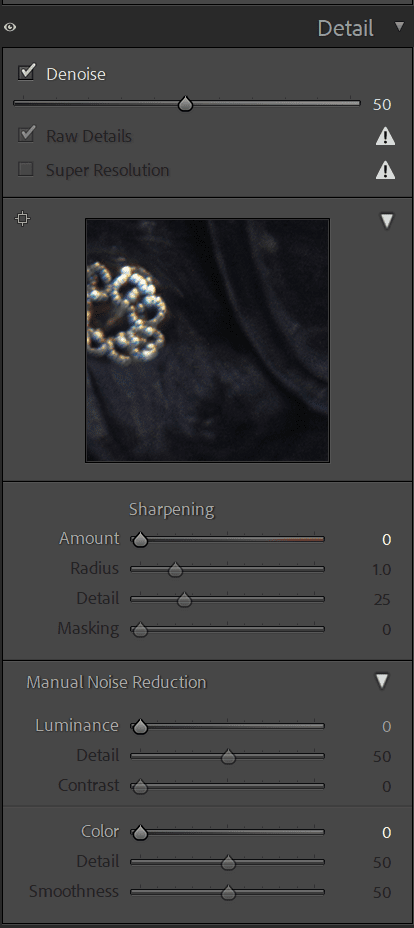
The Amount Slider | Precision Control
Let’s pull this shit up, look at your controls (it’s pretty straightforward). You have your amount slider, which acts as your scapel. Zero leaves the noise raw and exposed; 100 buries it deep. The real art is finding that razor’s edge where the static fades but the image’s soul stays sharp.
Luminance Balancing
Neural processing does most of the heavy lifting, but the old sliders in the manual noise reduction panel are still there for fine-tuning and a final touch. The aim is simple: carve out shadows that speak softly and highlights that cut through the noise.
Texture Preservation
The system is smart enough to distinguish between a glitch and a natural environment element. It does a decent job at keeping the fog’s flow, lets the grain linger on old brick, and saves the atmosphere that gives an image its weight.
What Did We Learn?
Nobody likes noise, unless it’s an artistic choice, which I’ll admit there are definitely use cases for it. But in most cases, knocking down noise is the goal to create a clear image so more focus can be brought to your subject. The practice (and you knew I was going to say it) is to avoid noise by shooting correctly in the first place. Proper camera settings and sufficient light sources (and a high-quality camera sensor) can help you avoid needing to use noise reduction at all. But we all know there are instances when this just isn’t possible, which is why Adobe invested so much energy in perfecting its noise-reduction technology.
So don’t be afraid of the noise, don’t let it ruin a good shot. Plan accordingly, shoot intelligently, and edit with intent.
Happy shooting!
TECHNICAL MASTERY
Consistent results require a strong understanding of the tools. Consistency is earned, not given. You have to know your tools inside out, and fight the noise at the source if you want your work to stand tall… Unless you like that sorta thing, then by all means, muddy it up!